
System Mechanic Professional16.5.2.214 - Download
You'll be able to download in few seconds.
Publisher Description
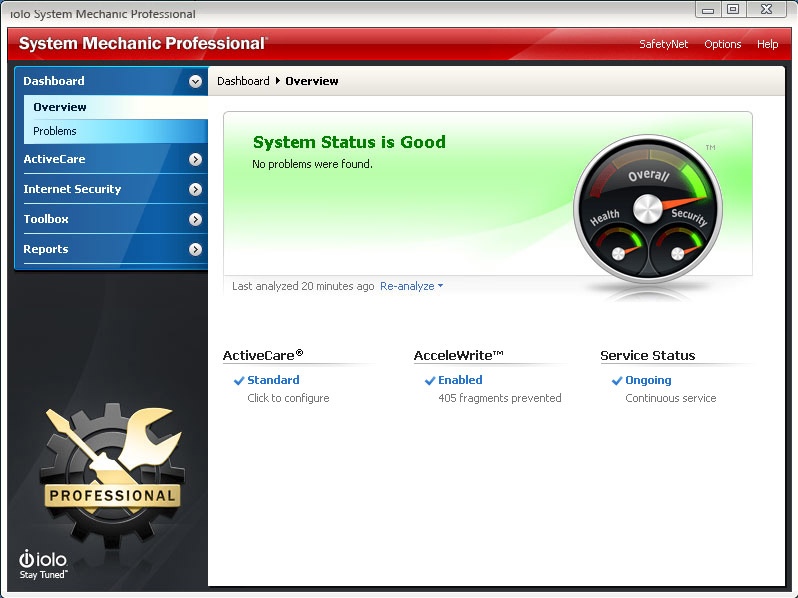
System Mechanic Pro uses patented technology to restore speed, power, and stability to your PC. It fixes errors, boosts performance, defends against infections, and proactively prevents problems from reoccurring. This all-in-one solution to complete Windows care also provides online backup, recovers deleted files, securely wipes data, and includes high-performance triple-certified antivirus protection that wont slow you down.
System Mechanic Pro can help you speed up your PC no matter what your experience level. One-click power tools perform vital services, intelligently diagnosing and resolving PC headaches and performance bottlenecks. Advanced tools such as Startup Optimizer and EnergyBooster give gamers and power users the total control they crave to fine-tune their system for maximum speed. Exclusive patented ActiveCare technology automatically maintains the PC when it's idle, so your computer can run like new for as long as you own it. Weekly Tune-up Definitions updates from iolo Labs ensure that your PC is protected against the latest performance threats and system flaws.
Now with more than 70 features, System Mechanic Pro is engineered to address all root causes of PC slowdown, and can improve your PCs performance in the following critical areas:
-Faster Windows startup
-Faster program launching
-Faster program responsiveness
-Faster internet browsing
-Faster gaming experience
-More available RAM memory
-Prevents crashes and freezes
And more...
Enjoy fast, reliable performance - no computer expertise required.
About System Mechanic Professional
This System Maintenance program is available in English. It was last updated on 29 September, 2026. System Mechanic Professional is compatible with the following operating systems: Windows.
The company that develops System Mechanic Professional is iolo technologies, LLC. The latest version released by its developer is 16.5.2.214.
The download we have available for System Mechanic Professional has a file size of 1.0 MB. Just click the green Download button above to start the downloading process. The program is listed on our website since 2017-04-11 and was downloaded 0 times. We have already checked if the download link is safe, however for your own protection we recommend that you scan the downloaded software with your antivirus. Your antivirus may detect the System Mechanic Professional as malware if the download link is broken.
How to install System Mechanic Professional on your Windows device:
- Click on the Download button on our website. This will start the download from the website of the developer.
- Once the System Mechanic Professional is downloaded click on it to start the setup process (assuming you are on a desktop computer).
- When the installation is finished you should be able to see and run the program.
Program Details
System requirements
Download information
Pricing
Version History
version 16.5.2.214
posted on 2017-04-11
Streamlined Dashboard replaces the separate Overview and Issues tabs for the quickest possible access to individual repairs.
All-in-one Tools have been fully incorporated into the Clean, Speed Up, Protect and Recover tabs for greater ease of use.
Disclaimer
External Download
We do not host System Mechanic Professional on our servers. We did not scan it for viruses, adware, spyware or other type of malware. This app is hosted by the software publisher and passed their terms and conditions to be listed there. We recommend caution when installing it.
The external download link for System Mechanic Professional is provided to you by apps112.com without any warranties, representations or guarantees of any kind, so access it at your own risk.
If you have questions regarding this particular app contact the publisher directly. For questions about the functionalities of apps112.com contact us.
